
Your coding agents,
in your pocket.
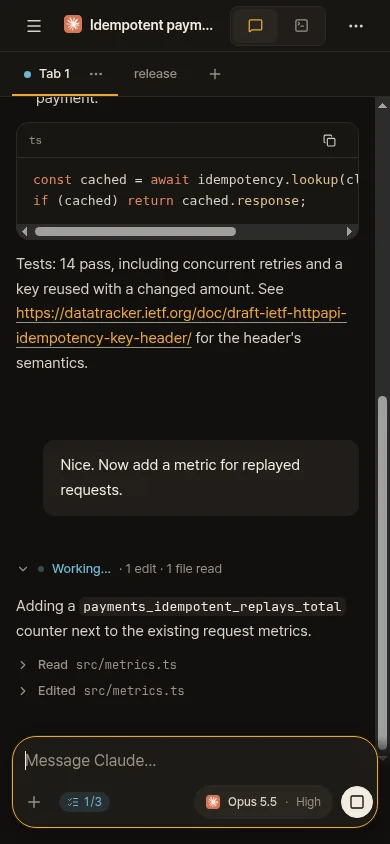
Ovis is the phone app for herdr. Read and answer the Claude Code and Codex agents running on your computer, as a chat or in the live terminal, from wherever you are.

How it works
Ovis opens the herdr web UI that your own computer serves. Nothing runs in between.
Run herdr web UI on your PC
It is free and open source. On Linux or macOS one command installs everything; Windows and other ways are on herdrweb.dev.
curl -fsSL https://herdrweb.dev/install.sh | shPair your phone
On the PC, open Settings → Phone & devices and scan its QR code with Ovis, or type the address it shows.
Answer from anywhere
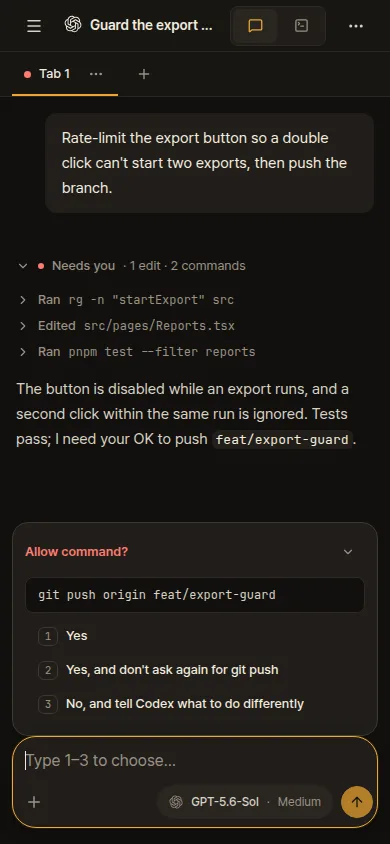
Approvals and questions arrive as cards you tap. The agent's own terminal is one tap away, with a key bar for Esc, Tab and Ctrl.
A look around
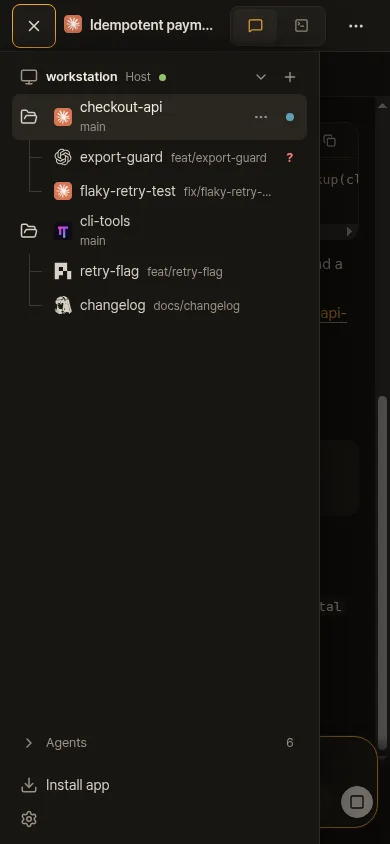
The same app you use in the browser, made for a phone.
Your code stays on your PC
No account
There is nothing to sign up for. Your phone is paired with your PC once, and that is all.
Straight to your PC
The app talks only to the PCs you add, over your own network, such as Tailscale or your home Wi-Fi. There is no Ovis server in between.
No tracking
The app has no ads, no analytics and no tracking. The privacy policy says exactly what is kept.
Questions
What is herdr?
herdr is a terminal multiplexer for coding agents: it runs Claude Code, Codex and other agents side by side in panes. herdr web UI brings those panes to a browser, and Ovis brings them to your phone.
Do I need Tailscale?
No, but it is the easiest way. Your phone needs a route to your PC: Tailscale, a VPN, the same Wi-Fi, or your own HTTPS proxy. The phone setup guide walks through each.
Is it free?
Yes. Ovis and herdr web UI are free, and herdr web UI is open source under the MIT license.
Can I try it without a PC?
Yes. The connect screen has a demo with made-up agents and terminals. Nothing leaves your phone.
Which phones?
iPhone and Android. Both apps are in testing and will be in the App Store and Google Play soon.